
How to pay for the JDS service from the MyJABLOTRON mobile application
Step-by-step manual how to pay for the JDS from the MyJABLOTRON mobile application.
Required equipment
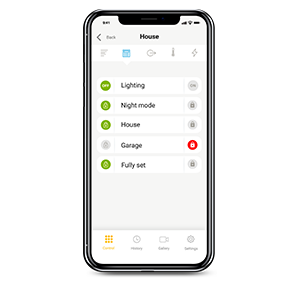
Mobile phone with Android or iOS
(we support two latest versions of operating systems)
The latest version of MyJABLOTRON app
Payment procedure
- Go to menu and select MySERVICES.
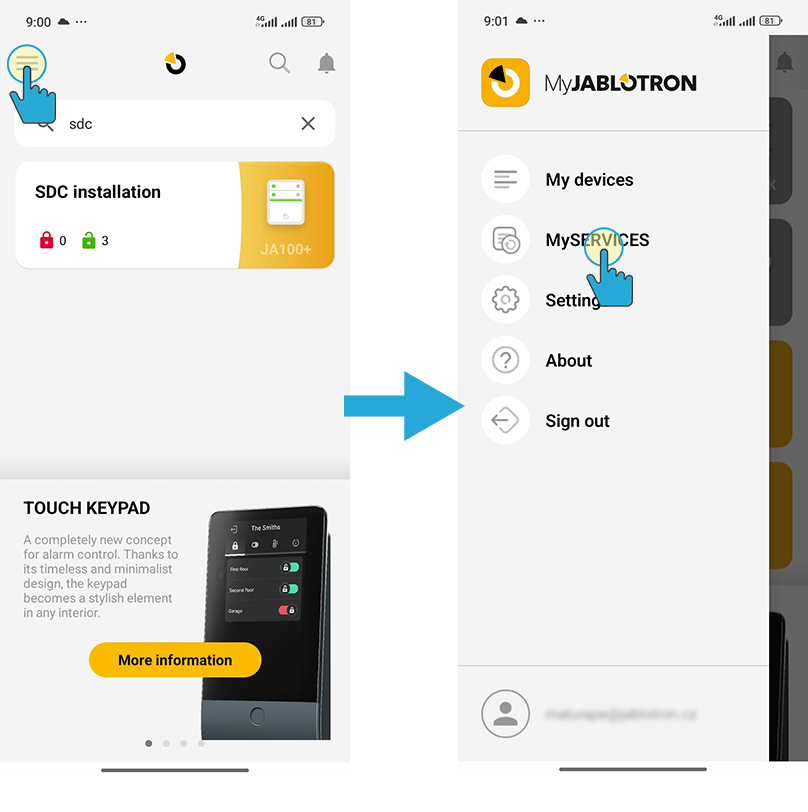
- Search and select the service you want to pay for. Add the JABLOTRON DIGITAL SERVICE to the cart. Select the period for which you want to pay. If you don't want to pay automatically next time, cancel Automatic renewal confirmation. Then click to Continue.
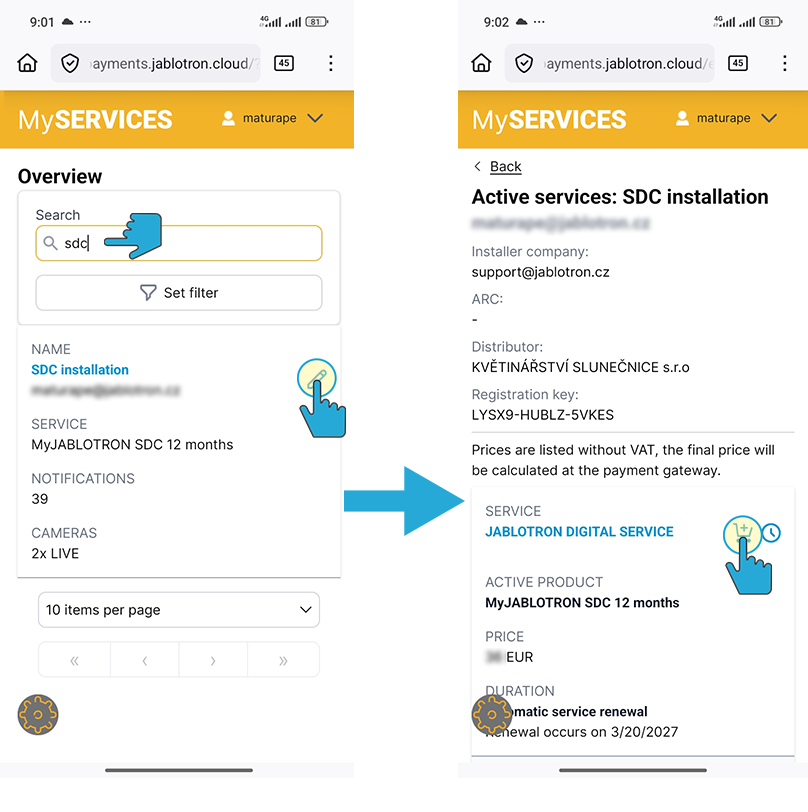
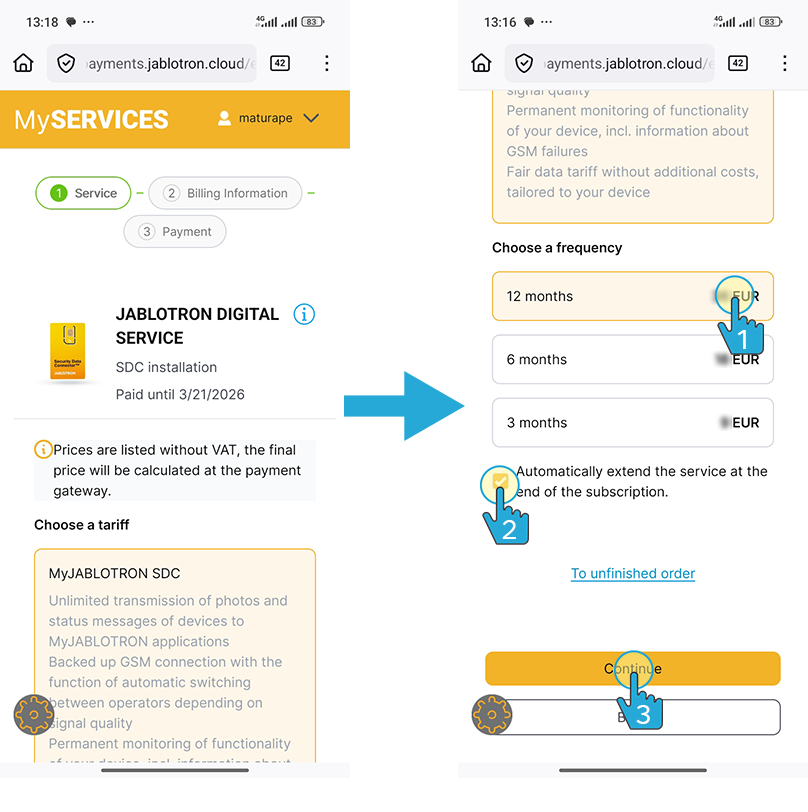
- In the next step, fill in your personal or company information.
❗ If you are a company customer, please remember to change your billing information to Company. This will affect the payment of VAT.
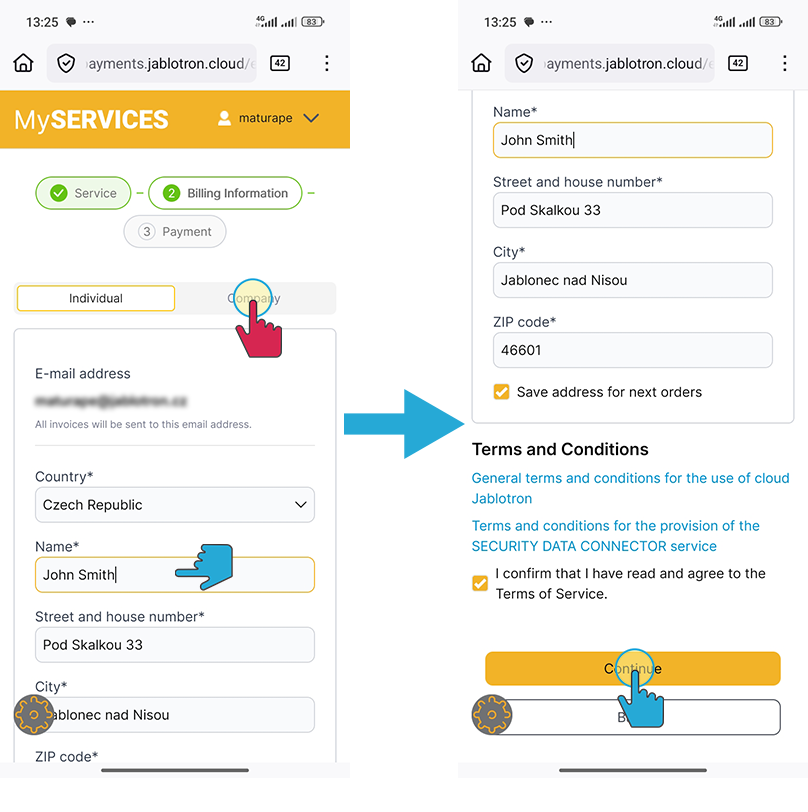
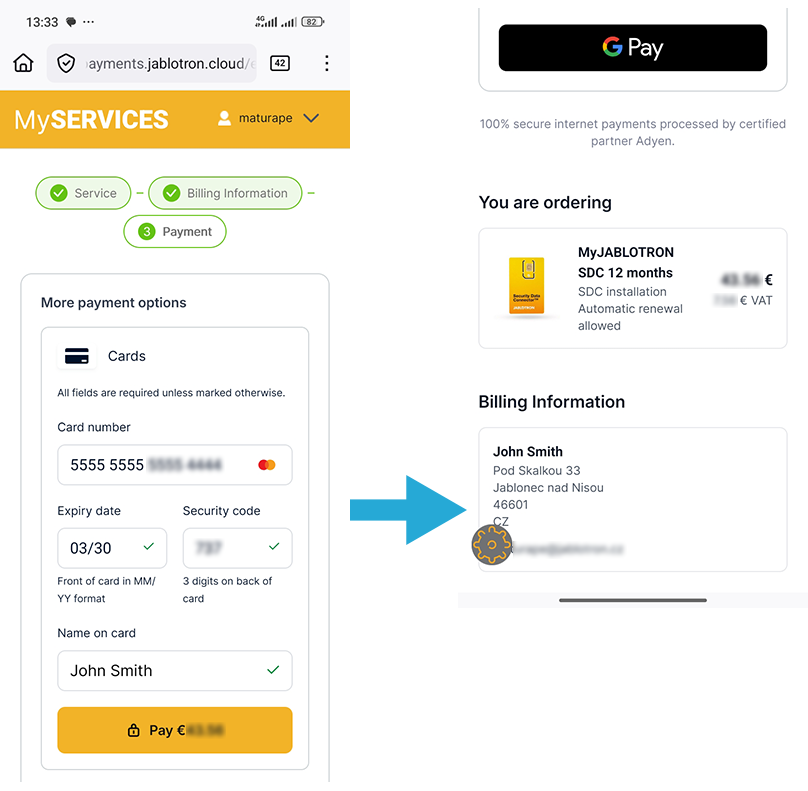
- In the last step select the payment method, check your billing information and confirm the payment.
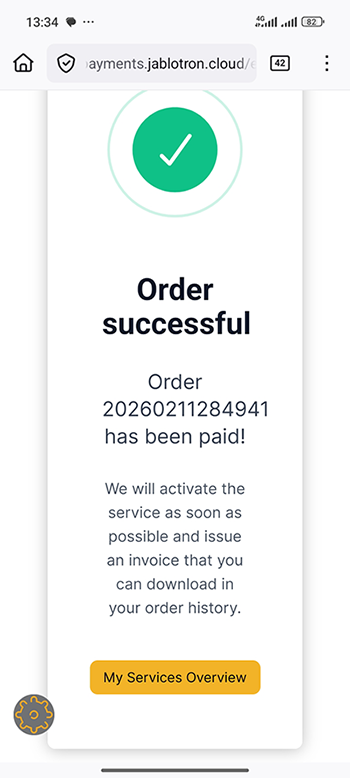
- A successful payment is notified by information with a specific payment number.
Frequently Asked Questions
- When will I receive an invoice?
- If I do not have an active auto-renewal, will I be notified of the need for payment?
- I forgot to pay and my service is blocked. What I can do?
- I forgot to pay and my service is blocked longer than 365 days. What I can do?
The invoice is sent to the customer by email after successful payment.
Yes, seven, three and one day in advance to your email.
You can restore the service by making a payment within 365 days of blocking.
The service has been terminated. Please contact the installation company.