
Garage door control with PG output module: JB-162N-PLUG and JB-163N-PLUG
Content
Connecting a garage door to the JABLOTRON system takes just a minute and requires no building work – using the JB-162N-PLUG wireless plug (or its Schuko variant, the JB-163N-PLUG). This article explains how to connect and configure the plug so the customer can also control the door remotely.
The plug can be used with virtually any garage door, regardless of the type or age of the drive unit. The principle is extremely simple, and we describe it in more detail in the following sections.
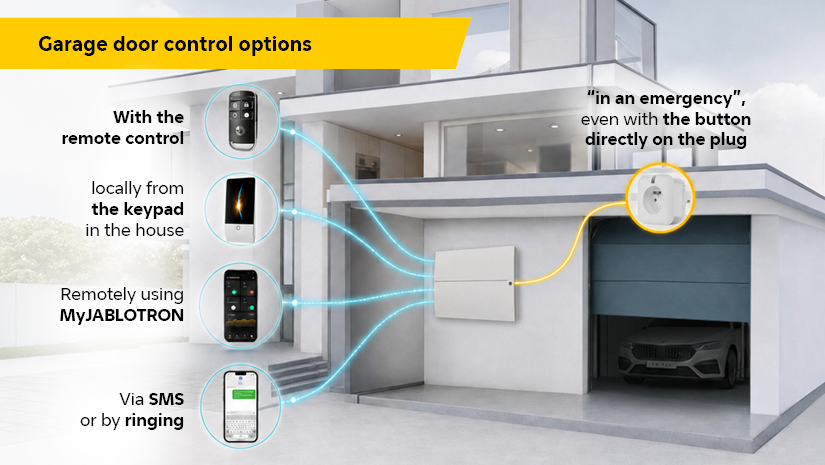
The plug's real value comes from its integration with the JABLOTRON ecosystem. You assign door control to a programmable (PG) output, giving the customer keyless access – for example, from the MyJABLOTRON app, with a remote control, by phone, and in other ways.
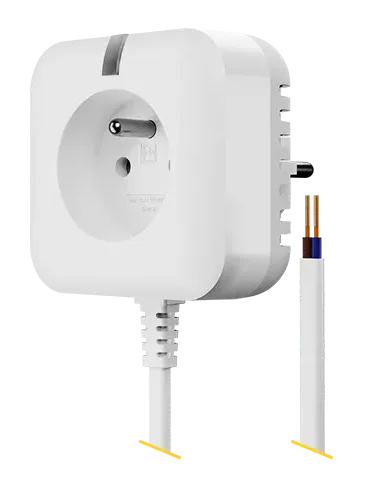
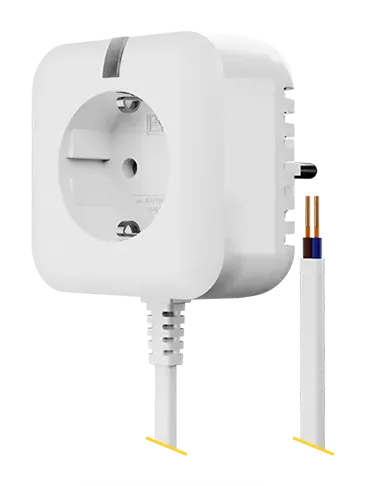
Wiring
A JA-11xR radio module is required for installation; the plug is compatible with all control units in the JABLOTRON 100 and Mercury ranges.
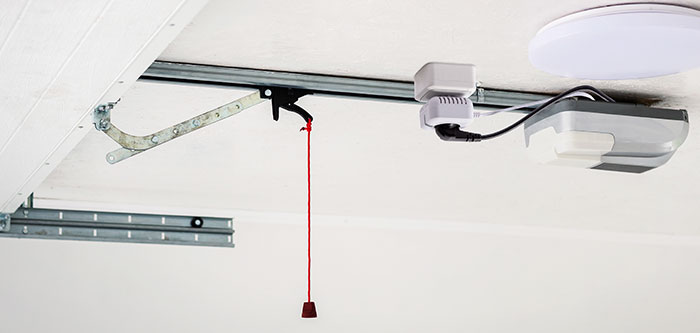
The smart plug is always pass-through. Simply plug it into the wall socket for the motor, then connect the motor's power cable directly into it. Connect the switched-contact output to the external control input fitted to almost all drive units.
Wiring requires knowledge of the manuals of all components used. Each garage door motor has connectors in a different place and under a different designation, for this reason it is necessary to read the manual of the motor or contact the manufacturer.
Fig.1. Connection of the wireless plug to the ceiling wiring and power supply of the motor.
Setup and programming
- PG logic settings. Name the PG output, set the logic to NO, set the function as Impulse and time to 1 second.
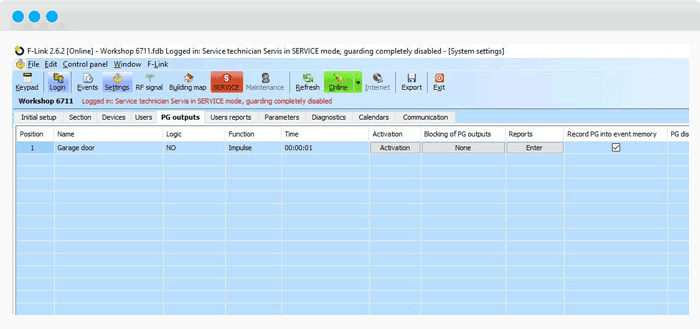
PG settings
- JB-162N-PLUG / JB-163N-PLUG wireless plug setting
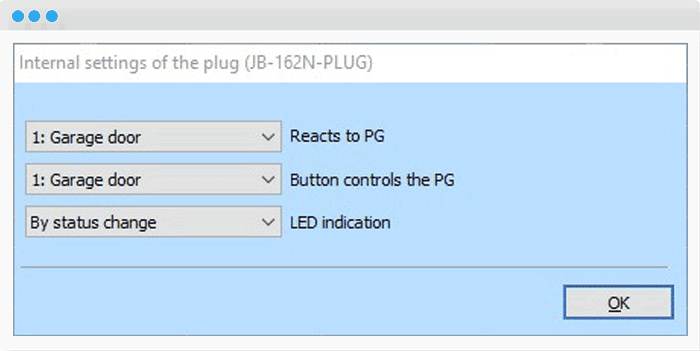
Wireless plug settings
- JA-154J MS II key fob settings. Any Key fob compatible with JABLOTRON 100+ system can be used.
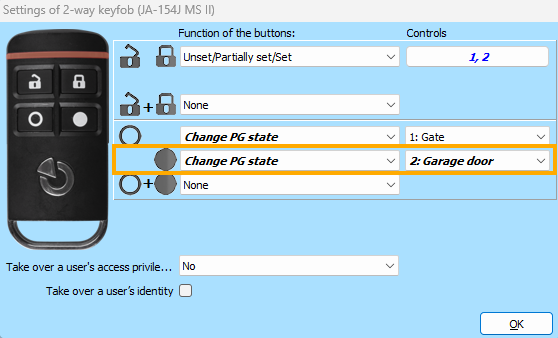
Key fob settings
- Setting the segment to control the drive from the keypad.
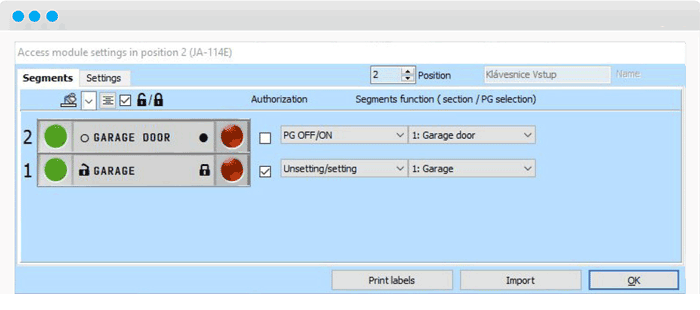
Keypad settings